

Every LinkedIn video ad needs an MP4 file with H.264 video and AAC audio, capped at 200MB for organic posts but up to 500MB for Sponsored Content, running between 3 seconds and 30 minutes, though 15 to 30 seconds performs best for awareness campaigns. For most ads, export at 1080p, H.264, AAC audio, 30fps, with a target bitrate around 8 to 10 Mbps for a 15 to 30 second spot. That single preset covers the vast majority of campaigns without a second thought.
- Container/codec: MP4, H.264 video, AAC audio
- Max file size: 500MB for Sponsored Content video ads
- Duration: 3 seconds to 30 minutes (15 to 30 seconds is the sweet spot)
- Supported ratios: 16:9, 1:1, 4:5, 9:16
Key Takeaways
LinkedIn video ads require an MP4 file with H.264 video and AAC audio, a file size under 500MB, and a duration between 3 seconds and 30 minutes to pass review and perform well.
| Point | Details |
|---|---|
| Use the standard preset | Export MP4, H.264, AAC audio, 1080p, 30fps, 8 to 10 Mbps for most 15 to 30 second ads. |
| Match ratio to placement | Use 1:1 or 4:5 for feed, 9:16 for full-screen vertical, 16:9 for desktop and CTV. |
| Caption before you launch | Confirm SRT processing completes; a failed caption upload can block ad serving entirely. |
| Produce multiple ratios per cut | Center-safe framing lets one master file crop cleanly into 1:1, 4:5, and 9:16. |
| Outsource variation at scale | A managed workflow like Jamesyee's can turn one video into a full ratio set in 24 to 48 hours. |
Table of Contents
- LinkedIn Video Ad Specs: Quick Reference Table
- Why Codecs, Bitrate, and Frame Rate Trip Up Uploads
- Choosing the Right Aspect Ratio for Each Placement
- Placement-Specific Rules You Can't Ignore
- Uploading, Captions, and What Developers Need to Know
- Best Practices That Actually Move CPA and View Rates
- Common Upload Errors and How to Fix Them
- How Jamesyee Turns One Video Into a Full Spec-Compliant Set
- What This Spec Guide Gets Right That Most Others Miss
- Frequently Asked Questions
- Sources
LinkedIn Video Ad Specs: Quick Reference Table
Bookmark this table before your next brief goes to an editor. Every number below comes straight from LinkedIn's own Video Ads Specifications and its companion Marketing Solutions help page.
| Spec | Requirement |
|---|---|
| File format | MP4, H.264 video, AAC audio |
| Max file size | 500MB (Sponsored Content) |
| Min file size | 75KB |
| Duration | 3 seconds to 30 minutes |
| Frame rate | 30fps recommended |
| Recommended resolution | 1080 x 1080px (1:1) up to 1920 x 1080px (16:9) |
| Captions | SRT file upload supported and recommended |
| Thumbnail | Custom JPG/PNG upload, matches video aspect ratio |
One thing trips up a lot of teams: organic feed uploads tolerate slightly looser file sizes and formats than paid Sponsored Content units. If a video posts fine organically but bounces during ad creation, check it against the ad-specific caps above, not the general upload page.
Why Codecs, Bitrate, and Frame Rate Trip Up Uploads
LinkedIn re-encodes every video you upload, so the codec you send in barely matters once it hits their servers, but the codec that gets there cleanly matters a lot. H.264 paired with AAC audio remains the industry default because nearly every editor (Premiere, DaVinci Resolve, CapCut) exports it natively without a plugin. Check your export settings for "H.264" under video codec and "AAC" under audio, not "H.265/HEVC," which some platforms still choke on. A quick primer on how containers and codecs actually differ helps explain why the wrapper (MP4) and the compression method (H.264) are two separate decisions.
For bitrate, here's what keeps a 1080p file under the 500MB ceiling without visible artifacts:
- 15 second ad: 6 to 8 Mbps keeps you well under 15MB
- 30 second ad: 8 to 10 Mbps lands around 30 to 40MB
- 60 second ad: 6 to 8 Mbps (slightly lower) still stays under 100MB
Stick to 30fps for standard footage. Drop to 24fps only for deliberately cinematic B-roll, and reserve 60fps for content with fast motion, like product demos or sports footage, where LinkedIn's re-encode won't smear the frames.
Pro Tip: *Use two-pass variable bitrate (VBR) encoding in HandBrake or FFmpeg instead of constant bitrate.

Choosing the Right Aspect Ratio for Each Placement
Pick the ratio based on where the ad lives, not personal preference. LinkedIn's Campaign Manager specs recommend specific pixel dimensions for each format, and going below the minimums causes visible upscaling artifacts once LinkedIn re-encodes your file.
- 1:1 (1080 x 1080px) — the safest universal choice; it displays cleanly on desktop and mobile feeds alike.
- 4:5 (1080 x 1350px) — the mobile-first compromise; it fills more vertical screen real estate than square without cropping like 9:16 sometimes does in feed.
- 9:16 (1080 x 1920px) — built for full-screen vertical placements; frame subjects centrally since some placements crop the edges.
- 16:9 (1920 x 1080px) — best for desktop-heavy audiences or longer explainer and demo content.
Given how much LinkedIn traffic now happens on mobile devices, 4:5 and 9:16 deserve priority in most 2026 media plans, even for a platform historically seen as desktop territory.
Pro Tip: Shoot and frame your subject dead center at capture time. That "center-safe" framing lets you crop one master file into 1:1, 4:5, and 9:16 without reshooting, since nothing critical falls outside the tightest crop.
Placement-Specific Rules You Can't Ignore
Specs shift depending on where the ad runs, and missing these exceptions is a common source of rejected or underperforming creative.
- Carousel ads: every card must share the same aspect ratio; mixing ratios mid-carousel gets flagged during review.
- Message and Conversation ads: video is click-to-play, not autoplay, so the custom thumbnail carries more weight than the first three seconds of footage.
- In-stream and CTV placements: expect higher viewer expectations for resolution and bitrate since these play on larger screens; push toward the top of the recommended bitrate range rather than the bottom.
- Standard in-feed Sponsored Content: autoplay is muted by default, which is exactly why captions aren't optional here.
Duration expectations also shift by placement. In-stream and CTV formats tolerate 30 to 60 second narratives better than feed placements, where attention drops fast after 15 seconds.
Uploading, Captions, and What Developers Need to Know
Caption handling is stricter for paid ads than for organic posts. Upload a single SRT file per video; if caption processing fails on a Sponsored Content asset, ad serving can be blocked entirely, which isn't true for a regular feed video.
- Upload one SRT file per video asset; multiple caption tracks per language aren't supported.
- Burn in captions as a backup even when you upload SRT, since some autoplay environments don't render the caption overlay reliably.
- Custom thumbnails should match your video's exact aspect ratio; a mismatched thumbnail gets stretched or letterboxed.
- Developers integrating through the Videos API need the correct permission role assigned and must include a
Linkedin-Versionheader inYYYYMMformat, since the older Assets API is deprecated per Microsoft Learn's migration guidance.
Caption upload failure on an Ads Video asset can block serving outright. Always confirm caption processing completed before you launch, not after.
Best Practices That Actually Move CPA and View Rates
Specs get an ad approved. These decisions get it watched.
- Open with motion or a face in the first three seconds. Static logo cards or slow fades lose viewers before your message lands.
- Target 15 to 30 seconds for awareness campaigns. Longer works for retargeting or demo-heavy funnels, but cold-audience attention drops sharply past 30 seconds.
- Burn in captions even with SRT uploaded. Most LinkedIn video plays muted by default, and burned-in text survives rendering quirks that SRT sometimes doesn't.
- Produce at least two or three aspect-ratio variants per creative. A 4:5 cut and a 1:1 cut of the same spot routinely outperform running one ratio everywhere.
- Match bitrate to length. A 15 second spot at 8 Mbps and a 60 second spot at 6 Mbps both land comfortably under the file-size cap while keeping 1080p sharp.
Pro Tip: Test two thumbnail versions of the same video, one with a bold text overlay and one clean shot of a face or product. Thumbnail choice alone can swing click-through meaningfully on click-to-play placements like Conversation ads.
Common Upload Errors and How to Fix Them
Run through this before you ever hit upload:
- Confirm the export is MP4/H.264/AAC, not HEVC or ProRes left over from a raw edit.
- Check exact pixel dimensions against your target ratio; a video that's 1078 x 1350 instead of 1080 x 1350 can still trigger rejection.
- Verify file size is under 500MB and above the 75KB minimum.
- Confirm SRT caption processing shows complete, not just "uploaded," before publishing the ad.
- If FFmpeg output still exceeds the size cap, lower bitrate first, then consider trimming length before cropping the frame.
- Escalate to LinkedIn support only after re-checking specs against the official page, since Campaign Manager updates occasionally shift behavior without a prominent changelog notice.
How Jamesyee Turns One Video Into a Full Spec-Compliant Set
Hitting every ratio, caption, and bitrate rule for one ad is manageable with scalable creative generation workflows like those offered by AI Landing Page Generation for Agencies. Doing it across five campaigns a week, with fresh creative before fatigue sets in, is where most in-house teams stall out.
Jamesyee's dedicated virtual assistants take a single raw video and turn it into a full set of platform-ready variations, cropped, captioned, and thumbnail-tested, typically within 24 to 48 hours.
- Rapid 24 to 48 hour turnaround from one raw file to multiple aspect-ratio-ready ad variations
- Caption burn-in and thumbnail A/B variants handled as part of the same production pass
- Fits naturally into pre-launch prep, when you need three ratios and two hooks ready before a campaign goes live
Pro Tip: Hand off your best-performing hook to a managed creative workflow before it fatigues, not after view rates already start dropping.
What This Spec Guide Gets Right That Most Others Miss
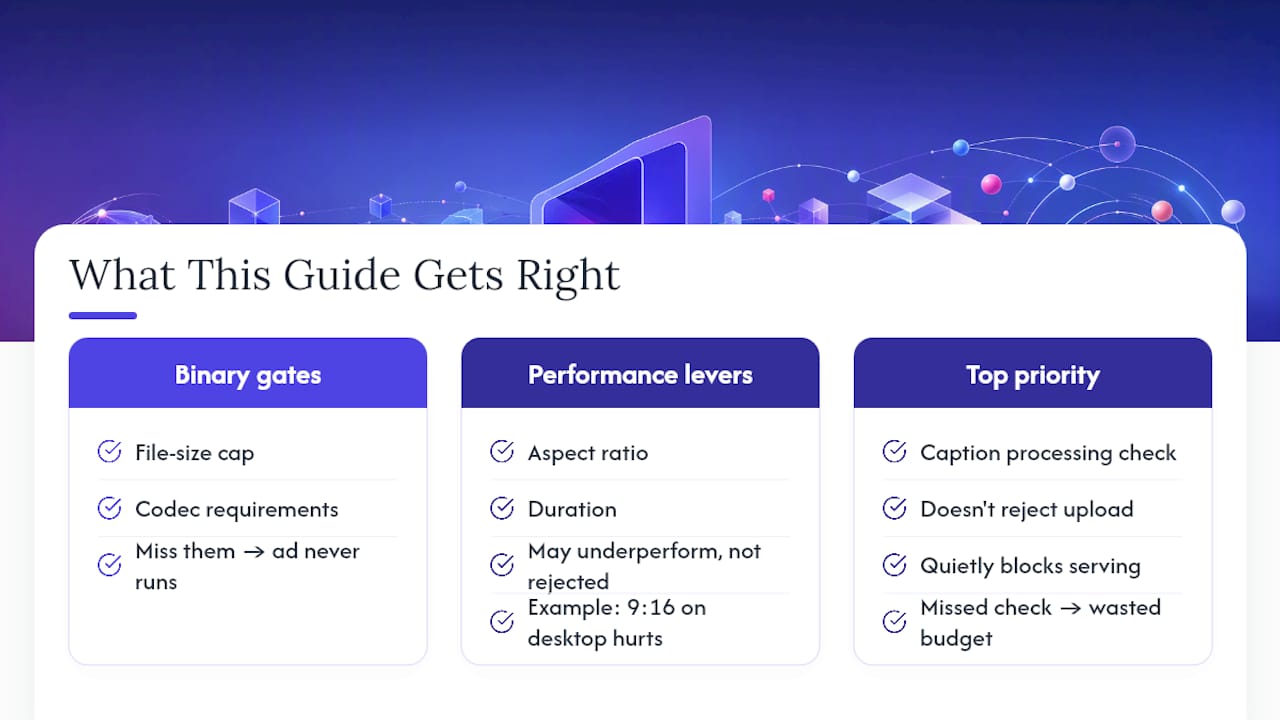
Most spec roundups treat every number as equally important, and that's the wrong mental model. The file-size cap and codec requirements are binary gates: miss them and your ad never runs. Aspect ratio and duration are performance levers, not gates: a 9:16 vertical cut on a desktop-heavy audience won't get rejected, but it'll quietly underperform a properly framed 16:9 version.
The advice that "15 to 30 seconds always wins" also deserves more skepticism than it gets. That range wins for cold-audience awareness plays. It's often the wrong call for retargeting or product-demo content, where a viewer who already knows your brand will sit through 45 seconds of substance.
If you take one thing from this guide, prioritize the caption processing check over almost everything else. It's the failure point nobody talks about, because it doesn't reject the upload, it just quietly blocks serving after you think you've launched. A single missed caption confirmation costs more wasted budget than a slightly wrong bitrate ever will.
Frequently Asked Questions
What is the maximum file size for a LinkedIn video ad? Sponsored Content video ads support files up to 500MB, well above the 200MB cap for organic feed posts.
What are the best LinkedIn video ad dimensions in 2026? 1080 x 1080px for square, 1080 x 1350px for 4:5, 1080 x 1920px for vertical 9:16, and 1920 x 1080px for 16:9 all meet LinkedIn's recommended resolutions.
Do LinkedIn video ads require captions? Captions aren't mandatory, but LinkedIn recommends SRT uploads since most feed video autoplays muted, and burned-in captions cover devices where caption rendering fails.
What's the ideal video length for LinkedIn ads? 15 to 30 seconds performs best for cold-audience awareness campaigns; retargeting and demo content can run longer without losing engagement.
Sources
- Video Ads Specifications | LinkedIn Marketing Solutions
- Video ads advertising specifications | Marketing Solutions
- Create and Manage Video Ads - LinkedIn | Microsoft Learn